HOW-TO: Use the Task Scheduler feature with Feed Supervisor

Task Scheduler is a great feature built-in to Feed Supervisor and it allows you to pre-determine the order that your feeder accomplishes their tasks (refusal clean-up, daily routines, pen feeding order, and more). This can even be a single-button system for your team by simply pressing “Next…”. Eliminate the guesswork for your relief feeder and ensure your herd is being fed consistently day to day! See the steps below as a guide to using this feature:
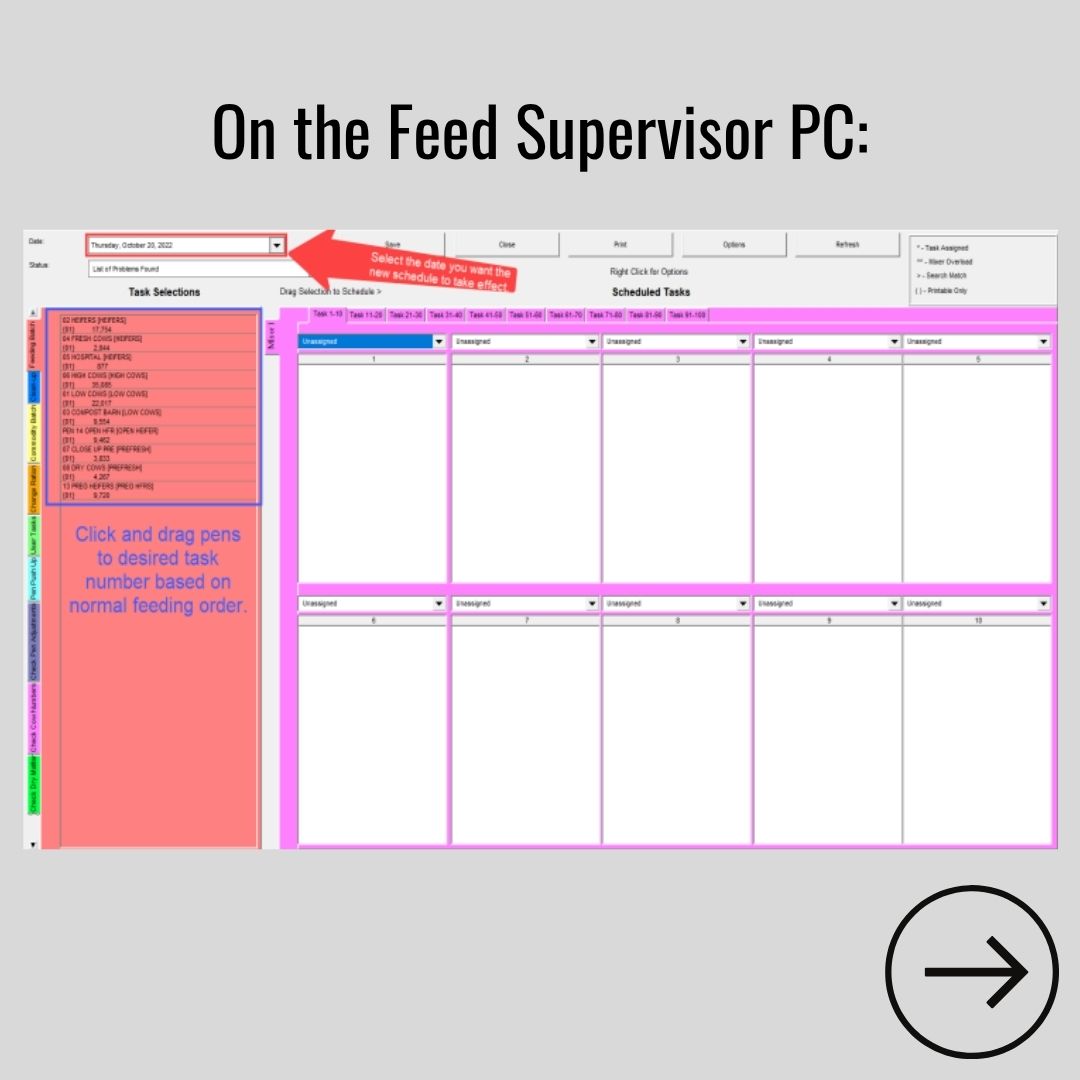
1. On the Feed Supervisor PC, click the drop-down menu in the upper left-hand corner and select the date you want the new schedule to take effect. Then click and drag the pens to the desired task number based on normal feeding order.
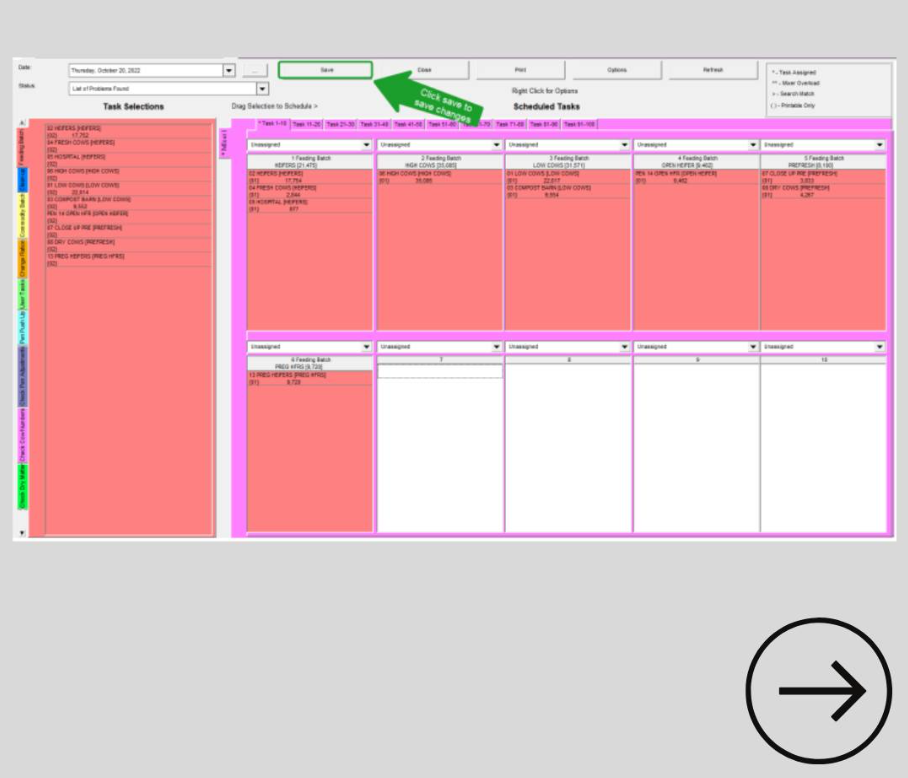
2. Click “Save” to save your changes.
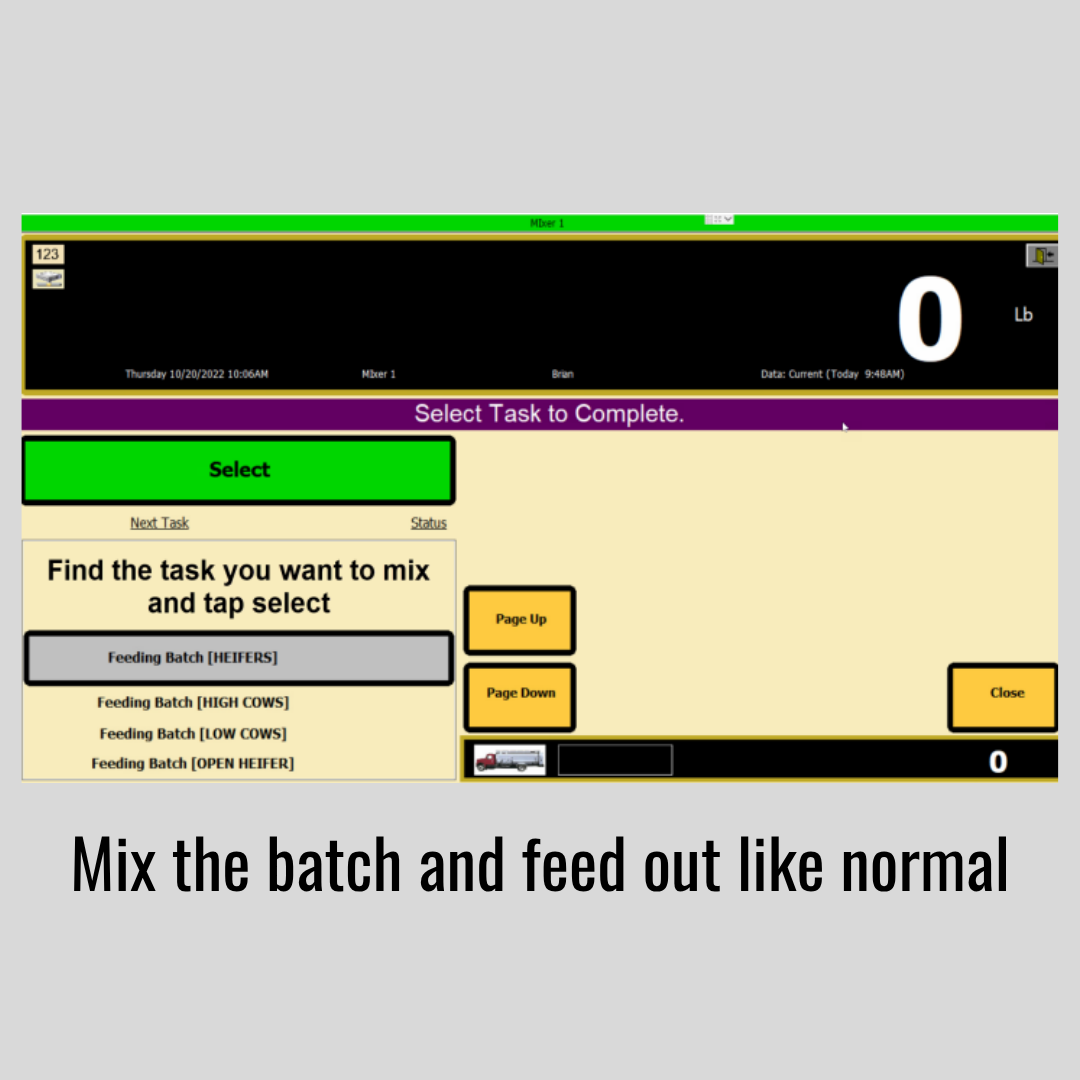
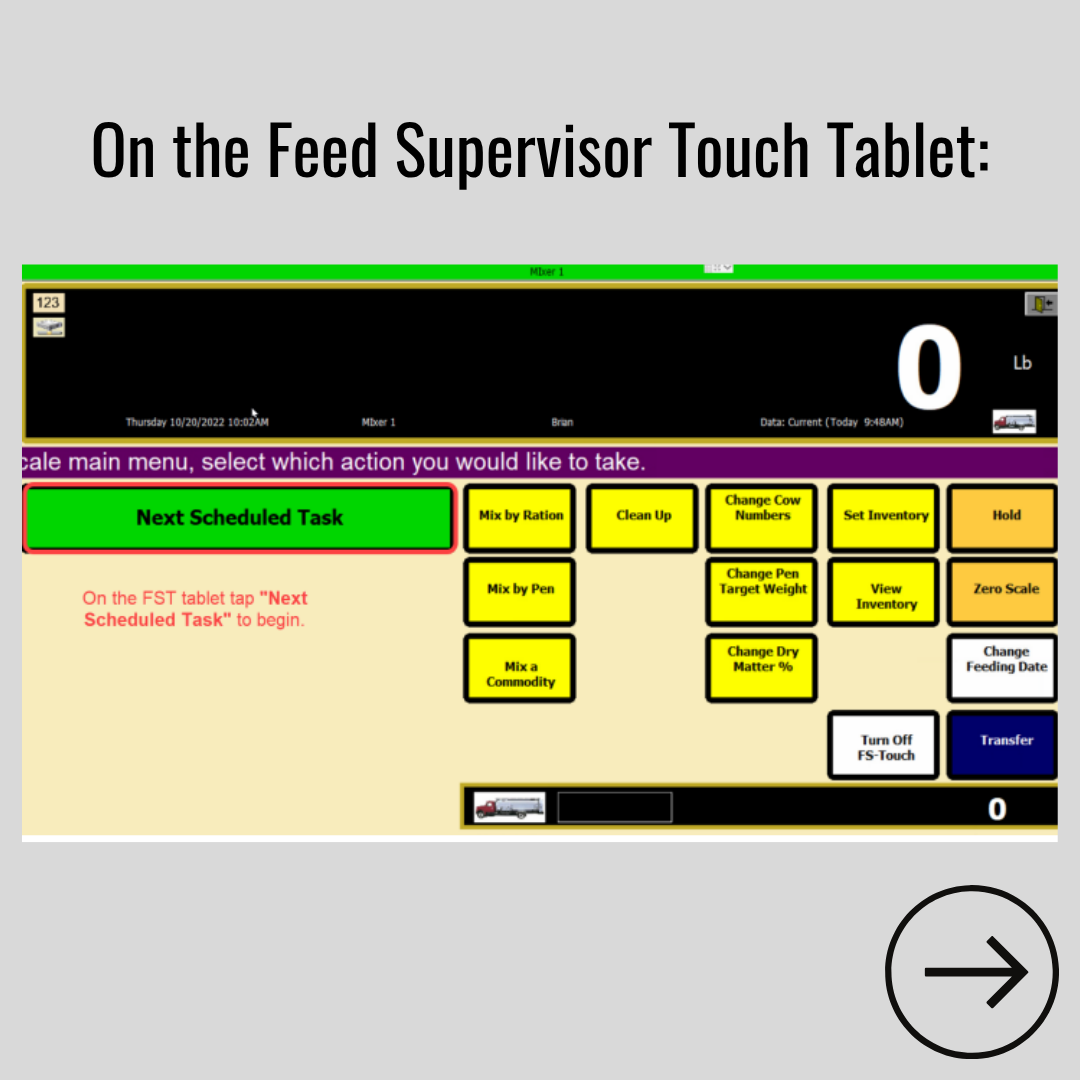
3. On the FS Touch Tablet, select “Next Scheduled Task” to begin.
4. Mix the batch and feed out like normal!