
HOW-TO: Utilize Auto Actions in Hoof Supervisor

Do you utilize Auto Actions in Hoof Supervisor? This feature, within HS, allows trimmers to setup the next steps for the herdsman to complete to continue the healing process of each cow trimmed, diagnosed, and treated with a lesion issue. These follow up actions can be unique and are very customizable! Auto Actions must be enabled and turned-on per farm, then the cow is automatically added to a Follow Ups report based on the wraps, blocks, or treatments actions applied/recorded by the trimmer. Follow the steps below to create and enable Auto Actions. The Follow-Ups report will be automatically created at the end of the day to leave at the farm with the herdsman. We want to make sure you’re making the most out of using the Hoof Supervisor tools and reports to help your clients follow through with the additional steps needed to heal when affected by a lameness event!
To setup Auto Actions:
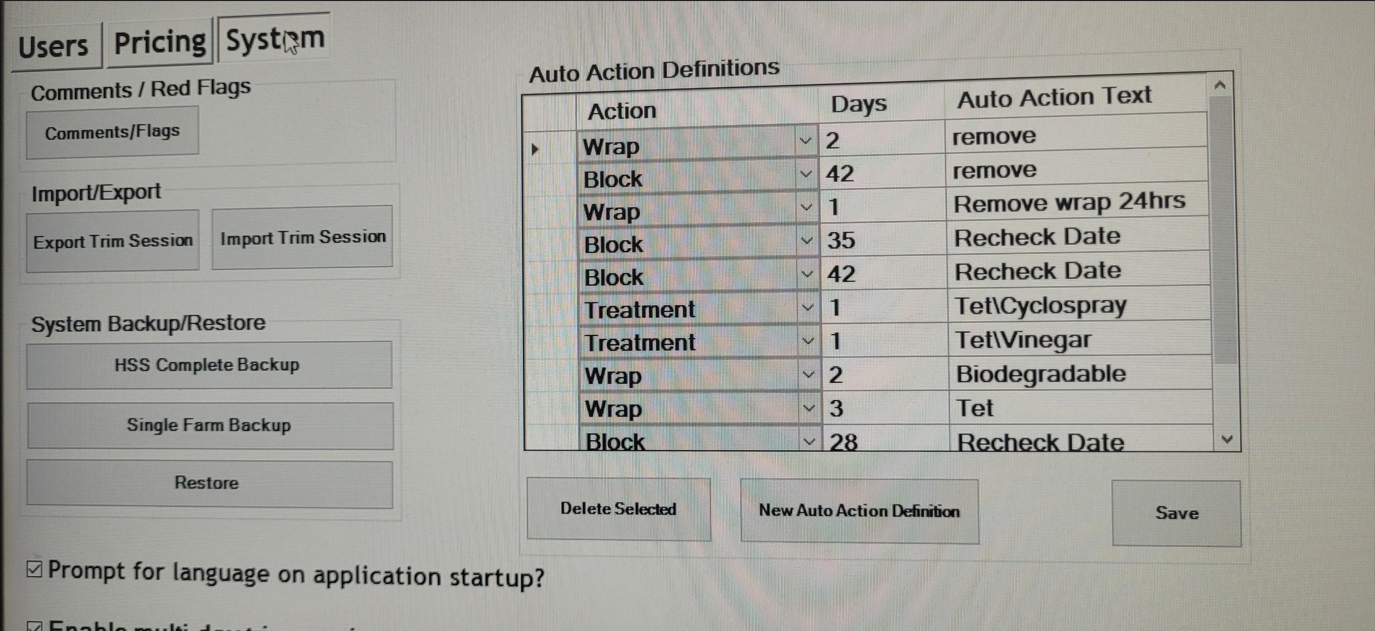
- Go to Edit Options > System tab > Auto Actions Definitions. In the Action column, use the little drop-down arrow to choose the action: Wrap, Block or Treatment. Next click in the Days column to type the number of days in which you want this action to be completed on the farm. In the Auto Action Text column, type in the follow up action you want followed up with on the dairy. Hit the SAVE button to save your new definitions.
Examples: Choose the ‘Wrap‘ action, set the number of days to 2. Enter the action text ‘remove wrap’. Now, any cow you apply a wrap to will appear on the Follow Ups report with a date 2 days from trim day with Remove Wrap as her follow up step. Choose the ‘Block‘ action, set number of days to 21 with the action set as ‘Check Block’. Any blocked cow will be listed on the Follow Ups report with the date 21 days from trim day with direction to check her block.
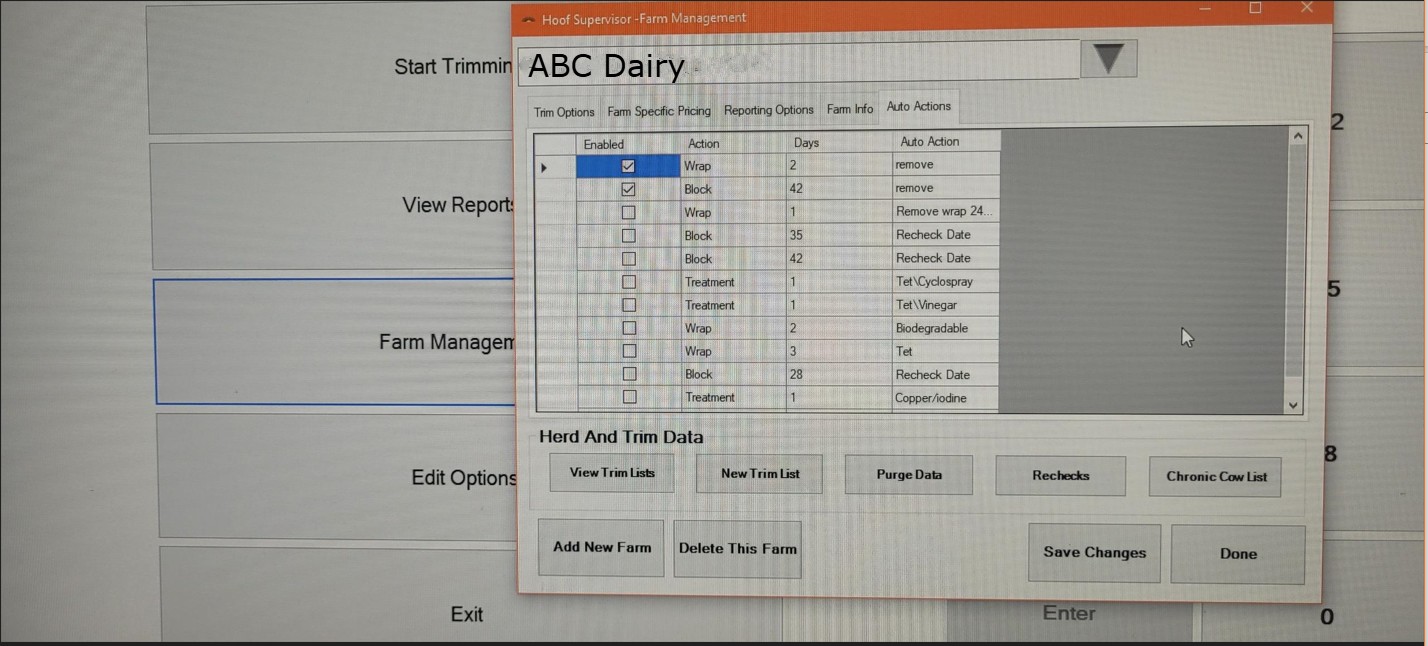
You can setup multiple actions needed and then enable per farm where you want each follow-up to happen. Some farms might differ from others!
- Go into Farm Management > highlight/select Herd > Auto Actions tab > put a checkmark in the ‘Enabled‘ box next to each Auto Action you want to apply for this herd> Save changes.
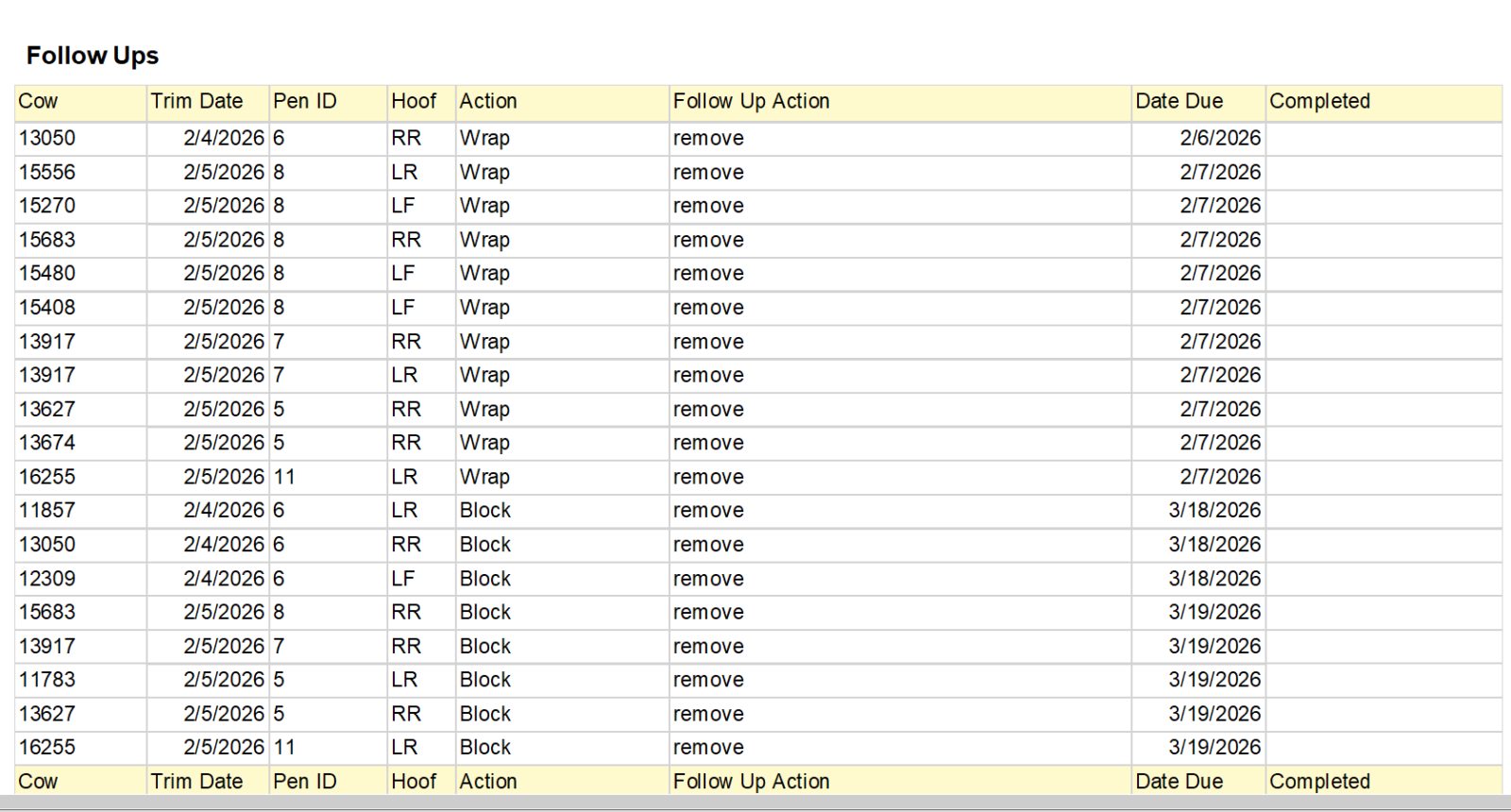
Now for each wrap, block, or treatment you apply for this dairy each time you trim going forward, the cow applied to will be listed on the Follow Ups report with the date and follow up action you want completed by the herdsman. When follow ups are enabled, the Follow Ups report is automatically generated with the end of day reports.
3. Use the Follow Ups report to ensure that the next steps are being completed enhancing the healing process for each affected cow! Leave this report at the dairy with the herdsmen or attach it to an email so these actions will be completed following each trim session.
Have more questions about Auto Actions or other features within Hoof Supervisor? Give our office a call at 715-755-3575. We are here to help you!